
The Benefits of Outsourcing Your Bookkeeping and Accounting Tasks
Small businesses spend an average of 120 working days on administrative tasks, the bulk of which are related to accounting. Bookkeeping and accounting tasks play a crucial role in the overall management of a business, but they can be time-consuming. Fortunately, outsourced accounting services can handle most or all of these tasks for you.
Imagine what you could do with an additional four months of time each year if you outsourced your accounting. Time savings is just one of the many benefits of offloading your accounting to a third-party service provider.
What Is Outsourced Accounting?
Outsourced accounting simply means that you’re offloading your accounting tasks to a third-party professional. Outsource accounting firms act like full-service accounting departments for your business, but without the expense of having to hire a new team.
These service providers can handle a number of tasks, including:
- Payroll
- Accounts receivable
- Accounts payable
- Financial reporting
- Daily transaction logging
- More
All of these tasks are carried out by experienced professionals, so you can rest assured that your business will remain compliant with financial reporting and tax laws.
Benefits to Outsource Accounting and Bookkeeping Services
Outsourced accounting offers many benefits to businesses, including:
Cost-Saving Accounting Services
One of the biggest benefits of outsourcing accounting is the cost savings. Depending on the size of your business, it may be difficult or impossible for you to manage your own bookkeeping and accounting tasks.
Your time is better spent doing what you do best: building your business.
But hiring a full-time accountant or bookkeeper can also be quite costly. If you’re at the point where you need an accounting team or department, the costs can be exorbitant.
The median salary for accountants is $77,250, and the costs for hiring an employee extend beyond just their salary. You also have to consider the expense of hiring, training, payroll and other costs.
In most cases, outsourcing your accounting will be the more affordable option and less complex.
Many accounting service providers will also offer services that a full-time accountant or bookkeeper won't offer. These may be services that you would otherwise have to pay extra for and seek out an additional professional for.
Eliminate the Time and Costs of Hiring Processes
When you outsource your accounting tasks, you eliminate all of the time and expense of hiring an employee. Many business owners overlook the true costs of hiring an employee. Hiring an accountant will be a time-consuming and costly process. Data shows that hiring an employee:
- Takes up to 52 days (or more)
- Costs anywhere from $4,000 to $7,000 or more
These costs include training, onboarding, recruitment and more.
Also, when hiring an employee, another important thing to consider is that you’ll need to dedicate time to creating the job listing, marketing the position and interviewing. Whether you handle this yourself or have HR take care of it, it will still take time and effort.
Meanwhile, you’ll need to find a way to keep up with your accounting or bookkeeping tasks until you hire someone. Often, many business owners grow desperate to get someone in the position just to save time. So, they hire the first person who interviews, and regret their decision in the future. If that employee quits or is fired, you’ll have to take on the expense of hiring again.
When you outsource your accounting, you can cut out all of these costs. These accounting firms can provide:
- Immediate access to their team, so you can offload your accounting tasks right away.
- Continued service. Unless the firm goes out of business, you can rest assured that there will be no interruption to your service. If someone on their team quits or is fired, it’s their responsibility to hire someone new – not yours.
Outsourcing your accounting allows you to get the services you need without the added costs of having to expand your staff. There’s zero downtime, so you immediately free up time to spend on core business tasks.
Saving Your Time
Speaking of time – outsourcing will save you lots of it. Remember that small businesses spend an average of 120 days on administrative tasks like accounting. That equates to four months of time you can save just by offloading your accounting to a team of professionals.
Your time is invaluable because you can’t get it back and it is finite.
Freeing up time will allow you to focus on more important things, like growing your business.
If you decide to continue doing your own bookkeeping or accounting, your business may still grow, but at a much slower pace.
When you outsource, a team of professionals will handle your bookkeeping and accounting tasks while you do what you do best. Because these firms have teams of experienced professionals, they can tackle your tasks much faster and with greater precision.
Business owners who do their own bookkeeping and accounting are at a higher risk of making errors. Accounting errors can have significant financial and, sometimes, legal consequences. But they also tack on more time to your accounting tasks. Each time you make an error, you have to go back and fix it, and that can add hours of more work.
Outsourced accounting firms not only have experienced professionals but also teams of people who oversee the work that’s being done. Because the work is viewed and checked by multiple professionals, the risk of errors is much lower.
These service providers have an incentive to ensure that the work is error-free and completed on time. That translates to time savings for you, the business owner.
Expertise
Are you a financial expert? If you answered no, then you can benefit from working with a credible outsourced accounting team.
As you know, these teams are comprised of experienced professionals who do nothing but accounting and bookkeeping day in and day out. Accounting is their specialty, so they know exactly how to handle each task you hand over.
Even if you hire a full-time accountant, they likely can’t offer the level of expertise that an entire team of accountants and financial professionals can provide.
If you’re not an experienced professional and you’re doing your own bookkeeping and accounting, you run the risk of:
- Failing to comply with tax laws
- Failing to file paperwork on time
- Making costly errors
- Missing out on valuable write-offs
These are big risks to take if you’re serious about staying in business and reaching your goals for growth.
Outsourcing will give you access to a high level of expertise so that you can avoid all of the risks above.
Scalability And Flexibility
If your business experienced a surge in growth tomorrow, would you be able to keep up with your accounting tasks? Probably not. In fact, a full-time in-house accountant may not be able to keep up, either.
When you outsource your accounting, you get the benefit of scalability and flexibility.
- If your business grows, the firm’s team can easily take on a higher workload. You can continue working with the same provider, and there’s little-to-no disruption to your business.
- If business is slow, you may be able to scale back on services to reduce costs while still ensuring your accounting tasks are handled by professionals.
If you hire an accountant, you still have to pay their salary and other employee-related expenses, even when business is slow. If you need to expand your team, you will have to spend more time and money on the hiring process.
The scalability and flexibility that outsourcing offers is unmatched compared to an in-house team.
Taking The Stress Out of Your Business
Outsourced bookkeeping services take some of the stress out of doing business. When you let a team of professionals do the job for you, then you have peace of mind that it will be done properly and on time.
Running a business is stressful as-is. The last thing you need is even more stress from dealing with accounting and bookkeeping tasks.
Lower Risk of Fraud
Every business is at risk of becoming a victim of fraud, but if you have a team of in-house accountants or just a single accountant employee, you’re at an even greater risk.
Why? Because there’s less oversight and checks and balances with small accounting teams.
If you hire an accountant to handle all of your business’s financial affairs, they have no one above them to oversee their work. It’s easy for accountants in this position to embezzle cash from their employers. Of course, not every accountant would behave this way, but the risk is there.
When you use an outsourced accounting firm, the risk of fraud is much lower because:
- Multiple people will be overseeing the work
- The firm has an incentive to do what’s right and conduct business in a professional manner
A credible and reputable firm won’t risk losing its good reputation and future business to engage in fraud. They have checks and balances in place to help prevent this situation from occurring in the first place.
Increase In Business Efficiency
Most businesses have the goal of maximizing efficiency. Why? Because the most efficient businesses are usually the most profitable. After all, time is money.
When you outsource accounting, you take one more step towards making your business more efficient.
While you are busy focusing on running and growing your business, your accounting team is busy taking care of your accounting and bookkeeping tasks.
When You Should Consider Outsourcing Your Accounting and Bookkeeping
If you’re considering outsourced accounting, you may be wondering: is now the right time to take the dive? And the answer is – it depends.
It may be time to start outsourcing your accounting if:
You’re Spending More Time on Bookkeeping Than You Can Afford
If you’re finding yourself spending more time on bookkeeping tasks than on running and growing your business, it may be time to start outsourcing.
As your business expands, you’ll find that it’s much harder to manage bookkeeping and accounting tasks on your own. Most business owners find that outsourcing these tasks ultimately saves them money because they can focus on core tasks.
You’re Missing Out on Tax Write-Offs
Even if you have some experience doing your own taxes, you’re likely not familiar with all of the write-offs that are available. There’s a good chance that you’re missing out on deductions that can reduce your tax burden.
Outsourced accounting teams are trained and experienced professionals. Their entire business is focused on accounting, so they likely know of tax deductions that you’ve never heard of. They’ll also know whether you qualify for these deductions, so you can take advantage of them as soon as possible.
You’re Struggling to Keep Your Books Up to Date
If you’re finding it difficult to keep your books up to date, it’s time to start outsourcing your bookkeeping and accounting. Keeping your books up to date is crucial if you want to run a successful business.
You’re Having Trouble Managing Your Cash Flow
If you’re struggling to maintain positive cash flow, you may want to outsource your accounting tasks to a professional.
An outsourced accounting team may help you find ways to improve cash flow and keep you updated on changes to your cash flow.
Cons Of Outsourcing Accounting Services
While there are many advantages of outsourced accounting services, there are some drawbacks that must be carefully considered.
One big drawback is that you lose some control over your accounts. You won’t be overseeing every transaction, and you’ll need to put your trust in your accounting team. That's not always an easy task for a business owner.
A few other drawbacks to consider are:
- Potential hidden costs. Outsourcing is typically cost-effective, but you may find that some providers have hidden fees. For example, some services you may need may not be included with your monthly package and will come at an additional cost.
- Communication. When you outsource, you may not get an immediate answer to a question or concern like you would with an in-house employee.
Things To Look for Before Outsourcing Your Accounting Services
Many business owners find that the advantages of outsourced bookkeeping outweigh the disadvantages. If you fall into this category, there are some things that you should look for before you start outsourcing, such as:
Security
Most credible outsourced accounting services will have security measures in place to protect your information.
When comparing your options, ask specifically about their security practices and what steps they take to keep your data secure.
Cost
Along with security, it’s important to consider the cost of the service. Yes, outsourcing is usually more cost-effective than hiring in-house, but it’s still important to understand all of the potential costs you may incur.
Remember that some firms will have hidden fees, so make sure that you ask about the cost of every specific service you will need.
End-to-end Accounting Services
What types of services does the firm offer? Do they offer end-to-end accounting? In other words, can they handle all of your accounting needs?
Some providers may have different package options, or they may offer their services a la carte (individually).
Make sure that you have a full understanding of what they offer so that you know whether they are the right service provider for you.
Manage Your Accounting Operations with Cash Flow Frog
There are many advantages to outsourcing your accounting tasks, but if you’re not quite ready to make this transition or relinquish some control over your accounts, there is another option: Cash Flow Frog.
The biggest issue business owners face when it comes to accounting is time. Creating cash flow forecasts and managing your business’s finances can eat up a lot of your day.
Tools like Cash Flow Frog simplify and automate these processes, so you can do more important things. Simply connect Cash Flow Frog to your accounting software, and you can start managing your cash flow like a pro in seconds – and automatically.


The Advantages of Cash Flow Forecasting
Read more
Short Term vs Long Term Cash Flow Forecasting
Read more

Rolling cash flow forecast best practices
Read more
QuickBooks Forecasting Best Practices
Read more

Profit & Loss: What It Is & How to Manage It
Read more
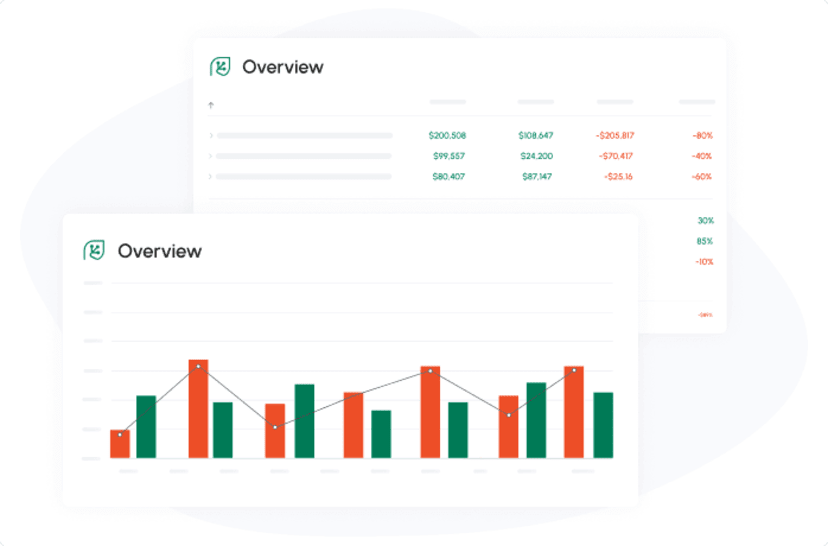
Optimizing Financial Stability: Navigating the Ins and Outs of the 13-Week Cash Flow with Cash Flow Frog
Read more
New: Use QuickBooks Recurring Transactions
Read more
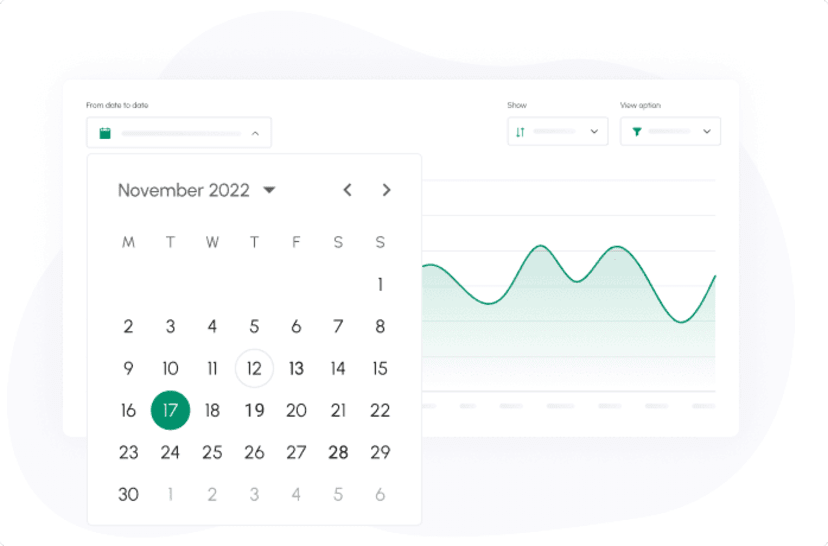
New: Set the period of time in which you want to view your cash flow
Read more
New: Quarterly View and advanced filtering
Read more
Trusted by thousands of business owners
Start Free Trial Now