
Brand Your Cash Flow Dashboard & Reports
Branding Your Cash Flow Dashboard & Reports
Cash Flow Frog provides you with a powerful dashboard and advanced reports that you can share with your colleagues, clients and stakeholders.
It also allows you to brand them with your company logo.
Using your company logo in Cash Flow Frog is super simple:
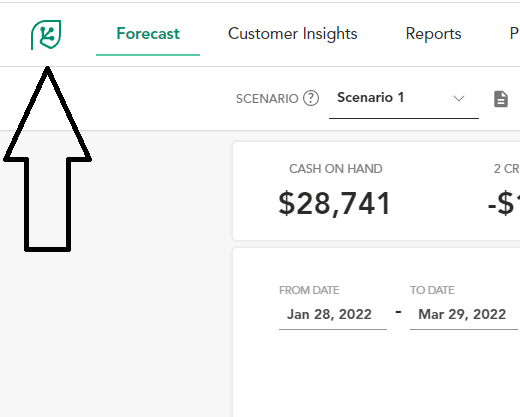
Click on the Cash Flow Frog icon on the top left corner of the screen.
In the dialog click on Select File and select your logo in the file browser.
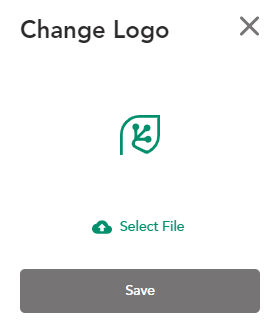
Adjust the borders and click the Save button.
That’s it!
Notice that the logo on the top left corner changed.
Download your branded PDF cash flow
Now download a report and you will see your company logo.


Best Ways to Prepare Your Business for a Recession and Double Your Money
Read more
Best types of businesses for cash flow in 2024
Read more

Best Cash Flow Management Practices in 2025
Read more

Benefits of Business Advisory Accounting Services
Read more
Before it's too late - Why should every business make weekly cash flow forecasts?
Read more

Advantages of Utilizing the QuickBooks Mobile App
Read more

Actuals Vs. Budget: A Guide to Budget Variance Analysis
Read more

Accountant & Bookkeeper Resources on Cash Flow Forecasting
Read more
7 Best Strategies for Managing Cash Flow in a Crisis
Read more
Trusted by thousands of business owners
Start Free Trial Now