
Odoo records your cash. It doesn't forecast it. You get a historical cash flow statement, not a forward view. Cash Flow Frog connects to the same Odoo data and builds the forecast for you, daily and weekly, up to three years out, with scenarios, dimensional breakdowns, and rule-based projections. This page compares both, fairly.
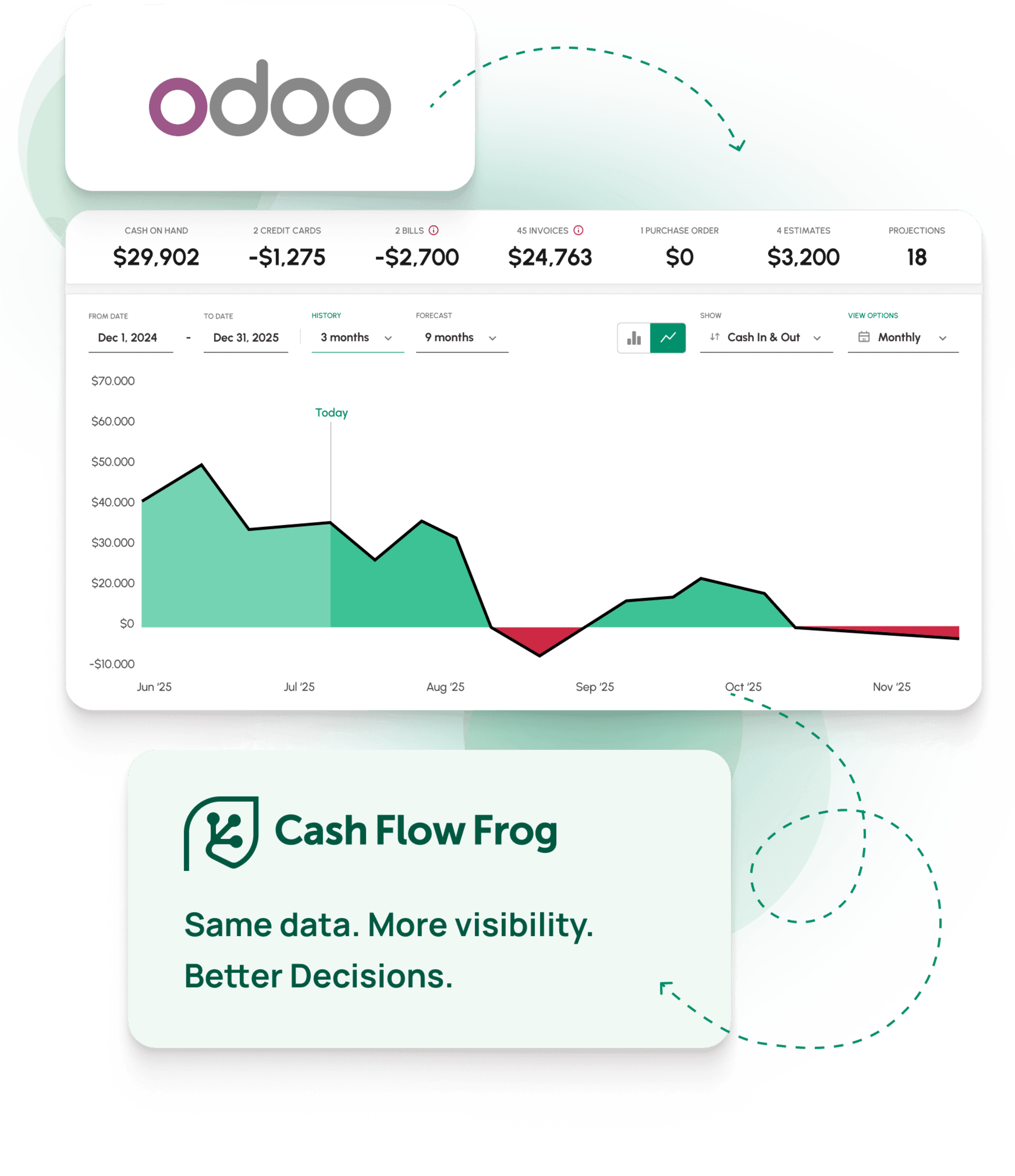
Connect with






Forecasting apps on the Odoo Apps Store are installable modules, and modules can only be installed on Odoo.sh and on-premise. On Odoo Online there is no way to install one, so the usual answer to "add forecasting inside Odoo" is closed off before you start.
Cash Flow Frog connects to Odoo Accounting as an authorized read-only connection rather than as a module. That works identically on Odoo Online, Odoo.sh and on-premise, with nothing installed in the database and nothing to re-test when Odoo ships a new version. Odoo implementation partners can offer it to clients through our Odoo partner program.
| Odoo Online | Odoo.sh | On-premise | |
|---|---|---|---|
| Installable forecasting modules | Not available | Yes | Yes |
| Cash Flow Frog | Yes | Yes | Yes |
You can also find Cash Flow Frog on the Odoo Apps Store.

Both verdicts stated upfront. Read this before the rest of the page.
Each row is a concrete cash flow forecasting capability, not a marketing line.
| Feature | ODOO ACCOUNTING (NATIVE) | CASH FLOW FROG |
|---|---|---|
| Forecasting & Horizon | ||
| Forward cash flow forecast | Not native. Historical cash flow statement only; forecasting via third-party Apps Store modules | 36 months rolling, built automatically |
| Daily / weekly / monthly views | Reporting periods, backward-looking | Daily, weekly, monthly, and quarterly |
| 13-week cash flow view | Not available natively | Yes |
| Scenario / what-if planning | Not in native accounting | Named scenarios, duplicated from base, compared side by side |
| Drill from a forecast figure to the source invoice or bill | Drill-down in reports, not in a forecast | Three levels deep to source invoices and bills |
| Cash Flow Depth | ||
| Forecast breakdown by vendor & customer | Not in a forward forecast | Yes |
| Forecast breakdown by analytic account, project, department | Available in reports, not in a forward forecast | Yes, every Odoo analytic account, plus custom dimensions |
| Cash Flow Statement view (Operating / Investing / Financing) | Historical statement only | Yes, on the forecast |
| Planned vs actual tracker | Not in native accounting | Cash-basis snapshots, drill-down by customer or vendor |
| Multi-company consolidation | Multi-company reporting, no consolidated forward forecast | Unlimited entities in one consolidated view |
| Multi-currency on the forecast | Multi-currency in the ledger, not in a forecast | Native, with consolidated conversion |
| VAT / GST included in the forecast | Not in a forward forecast | Auto-calculated per filing period, on the expected payment date |
| Automation & Intelligence | ||
| Rule-based projections (% of revenue, rolling averages, growth rates) | Not native | Yes, auto-updating as data syncs |
| AI projection suggestions from transaction history | Not available | New patterns detected and suggested after every sync |
| Zapier integration | Not for cash flow forecasting | Push projections automatically from other tools |
| AI assistant access (Claude, ChatGPT via MCP) | Not available | Query and update the forecast from an AI assistant |
| Export / import projections via spreadsheet | CSV/Excel import for accounting data | Export, edit offline, re-upload to apply |
| Integrations & setup | ||
| Works inside Odoo | Native to Odoo | Read-only connection, never writes to Odoo |
| Standalone use (no accounting software) | Requires Odoo | Manual entry, Excel/CSV import, or Plaid bank feed |
| Connects to other accounting platforms | Odoo ecosystem only | QuickBooks Online & Desktop, Xero, Sage Intacct, Zoho Books, FreshBooks |
| Accountant multi-client dashboard | Not a forecasting feature in Odoo | One dashboard, one-click client switching, per-client permissions |
| 1-on-1 onboarding session | Partner-dependent | Included |
| Free trial | Varies | 14 days, no credit card |
Comparison covers cash flow forecasting only. Based on publicly available information about Odoo Accounting and the Odoo Apps Store, current as of June 2026. Odoo's native forecasting can be extended with third-party modules, which vary in capability and are maintained outside Odoo, so verify current detail at odoo.com. The ✓ / ~ / ✗ marks indicate full availability, partial or conditional availability, and no availability for cash flow forecasting respectively.
Each one is a concrete capability, not an adjective. Odoo is a capable ERP. These are the jobs its native accounting was not built to do.
Odoo runs your operations. Cash Flow Frog adds the forward cash view it doesn't include, without ripping anything out or installing another module to maintain.
"I've been trying to find an efficient and simplified way to forecast our cash flow and expenses, this is the complete solution."
Tieshena Davis · CEO, Publish Your Gift®
"Extremely useful, helping me maintain my cash flow through an aggressive growth period, evaluate the financial planning for the future, and sleep better at night."
Robert Hughes · Owner, Hughes Engineering, PLLC
"Finally found one that works for us! We tried several and finally found one that actually gave us what we needed — great UX, intuitive software, accurate forecasting."
Cara Curphey · Founder, Albion Bookkeeping & Consulting
Not sure what your Odoo will give us? Open the Apps list. If Accounting is installed, Cash Flow Frog syncs your full transaction history. If you only have Invoicing, the forecast is built from your invoices.
Odoo tells you where your cash has been. Cash Flow Frog connects in minutes and builds the rolling 36-month forecast, with the depth and automation Odoo has no native tool for.
14-day free trial • No credit card required • 1-on-1 onboarding included